

- Create/find the child account. For more details, refer to Working with Accounts.
- Note the Account ID for the child account.
- Access the parent account you’d like to link from Billing > Accounts.
-
Click Add child in the Actions Panel.
The Add Child box appears.
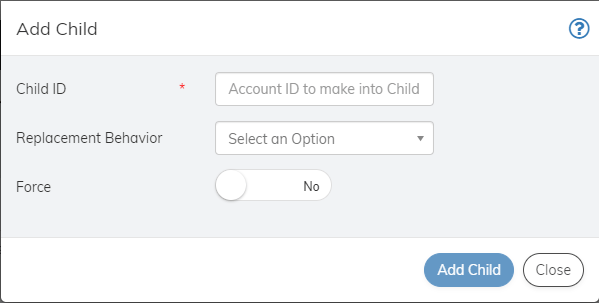
- Define the fields as needed. Refer to the table below for guidance regarding the fields.
- When you’re done, click Add Child. The account is linked as a child account and appears in the Child Accounts pane.
Add Child to the Account
Subscribe supports a two-level account hierarchy letting you establish parent and child accounts. This is to allow for customers who use your product or service as a family. A parent account can have multiple child accounts that share the parent account’s payment method. Parent/child accounts can also use different payment methods.
To add a child to the account: