

- Vindicia IDP Console 1.0 - Offers administrators the ability to manage basic user identity settings for organizational users such as reset password, or reset multi-factor authentication methods.
- Vindicia IDP Console 2.0 - Offers administrators the ability to manage extended user settings such as adding new users, setting roles for users, resetting passwords and more.
Access the Vindicia IDP Console
To access the Vindicia IDP console and verify the Vindicia IDP version, do the following:- Log in to the Subscribe Merchant Portal
-
Expand your account settings by clicking your user name from the top right corner of your screen.
Super users with user management capabilities will see a Manage Users link and the relevant IDP version they’re on.
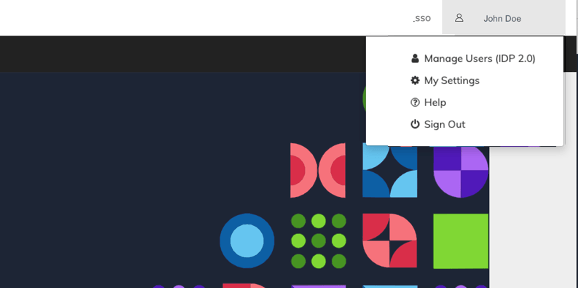
- To access the console and manage users, click the Manage Users (IDP version) link. The Vindicia IDP console opens.