


- Promotion Campaigns: These allow you to generate a single Campaign code that can be distributed to multiple customers. A promotion code is not unique to individual users and is typically publicly available through mass distribution. You can define any alphanumeric string as your promotion code.
- Coupon Campaigns: These allow you to generate multiple unique Campaign codes. Coupon Campaigns are often highly targeted, the unique 16 characters alphanumeric coupon code is offered directly to a specific customer. Coupon codes are generated by the system based on prefix input from you and can be defined as single-use codes, for which redemption is allowed only once for every unique code, or multi-use codes, for which the number of allowed redemptions of each code is defined.

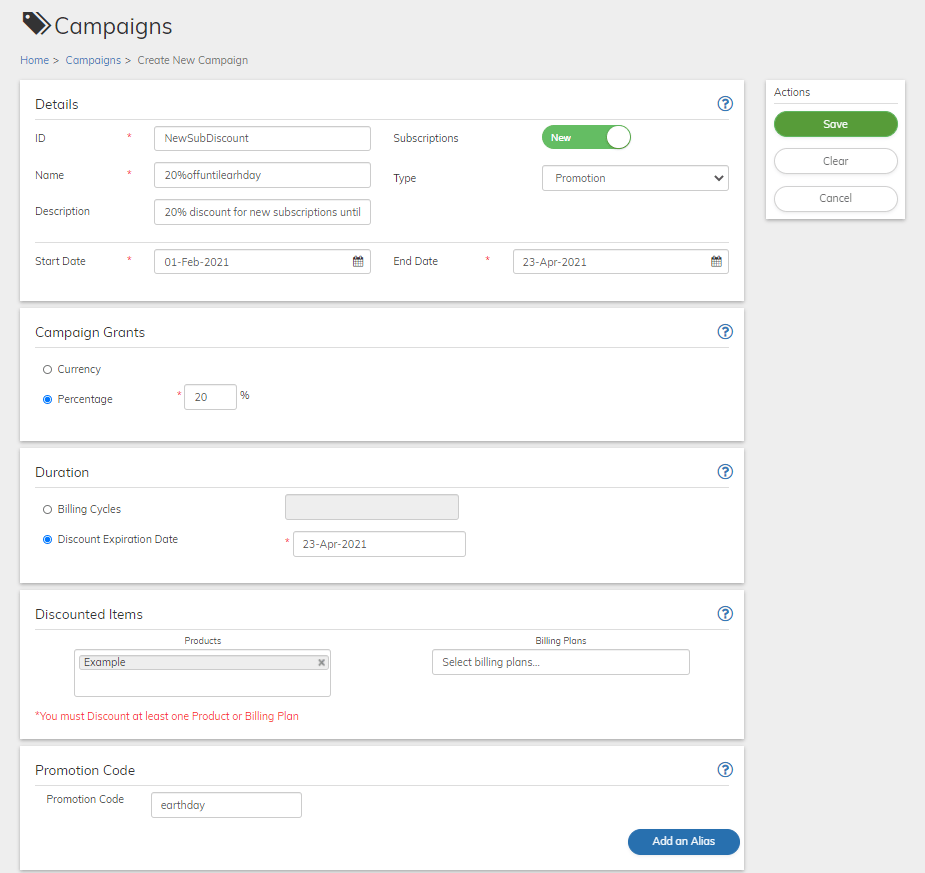
Subscribe Validation of Campaign Codes
Subscribe automates the campaign discount process by validating the codes and then redeeming the discount using the following logic:- Subscribe validates that the campaign code is accurate and can be accepted according to the campaign parameters.
- Subscribe validates that the campaign code is applicable to any of the Products or Billing Plan of the purchased subscription.
- Subscribe validates that the campaign code is still valid, meaning that it’s still within its offer period, has not been submitted more times than allowed for redemption (coupon codes) and that the code has not been previously used for the same subscription.
- Campaign Codes submitted for subscriptions that include multiple Products are applied to all eligible Products and Billing Plans.
- Subscribe calculates the discount amount relevant for the Billing Period(s). This can be as high as the total charge for the Period. Campaigns never result in a credit to the Account.
- Subscribe calculates the sales tax of the purchase based on the discounted price, rather than the original price.
- Subscribe calculates the applicable Promotion or Coupon discount when prorating an Account during an upgrade.
Parent topic:Catalog