

-
Select your starting point from the following options:
- To create a new Season Set, click the + New button and select Season Set.
- To duplicate an existing Season Set, select the relevant existing Season Set from Catalog > Season Sets and click Duplicate.
- To edit an existing Season Set, select the relevant existing Season Set from Catalog > Season Sets and click Edit. The Season Set page appears.
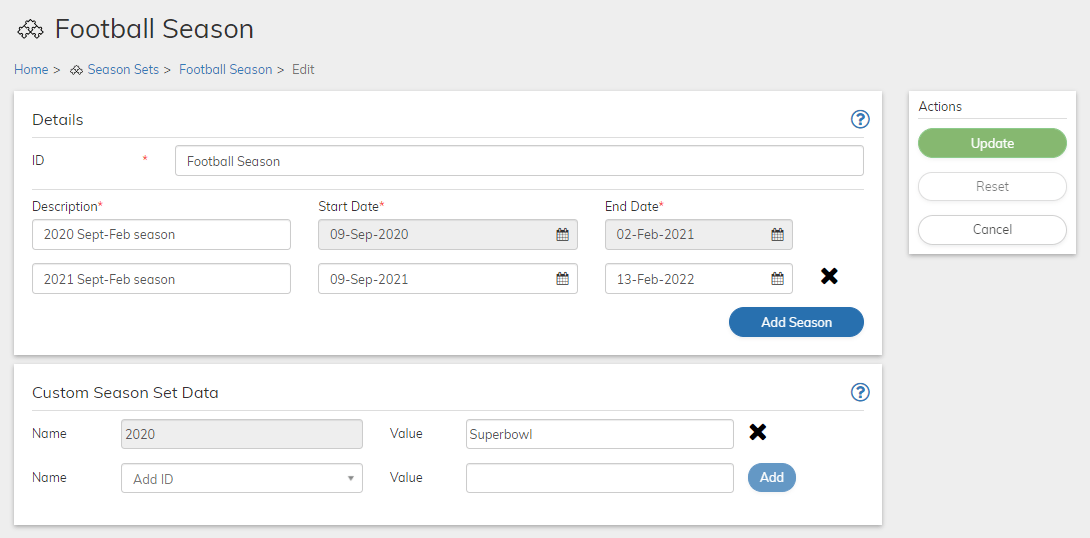
- Define the Season Set fields as needed. Refer to the tables below for guidance regarding the fields.
- When you’re done, click Save or Update. You can return and continue editing the saved Season Set at any time
- Season Set Details Pane
A Season Set is basically a list of seasons. Each Season is simply a Description, Start and End Date. Season Sets allow you to bill and provide active entitlements during a defined time-frame (a sport’s or TV content season), and not at other times of the year. - Custom Data
Custom data lets you store merchant-specific data to Products, Rate Plans, Billing Plans, Season Sets, Subscriptions, Accounts, and Payment Methods as a pair of matched text strings, called name-value pairs. These name-value pairs can help you categorize and sort aspects of your objects. Use Name to define a category, and Value to define a specific item in that category. For example, you could use name-value pairs to track your sales teams. Define a name-value pair with Office as the Name and the city in which the office is located as the Value.