

Subscribe Features
Subscribe Merchant Portal 2.0 Enhancements
-
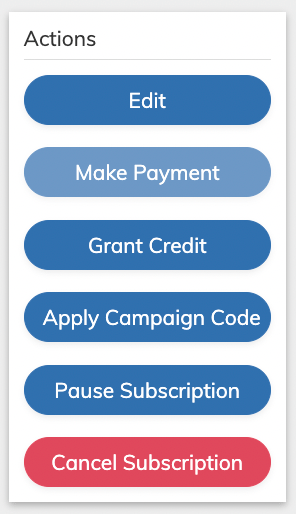
Adding Campaign Code to Existing Subscriptions - With this release, changes were made allowing you to apply a campaign code to an existing subscription without editing the subscription itself.
A new Apply Campaign Code button was added in the Actions panel. When used, a window appears that allows the user to enter the Campaign Code, whether to add to an eligible billing plane, and choose which of the Subscription items to apply. You can apply the Campaign Code at the following levels:
- Subscription
- Product
- Item
-
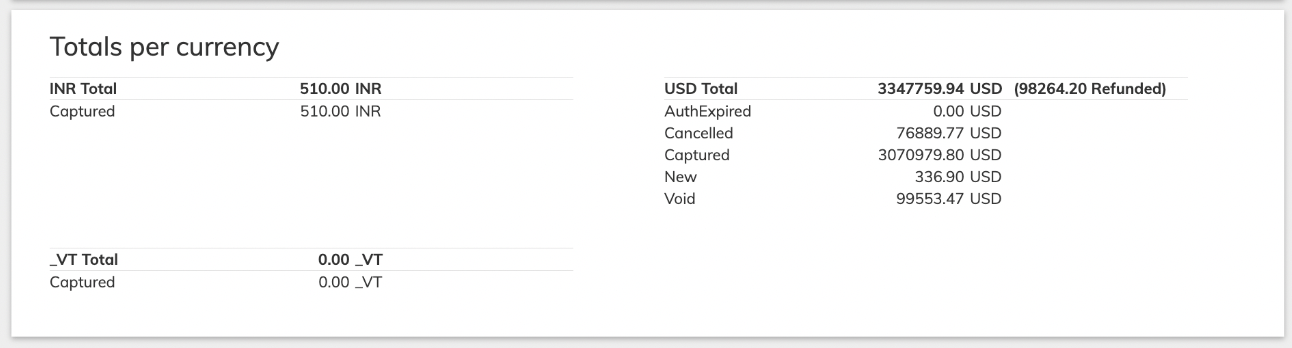
Transaction Summary Details in Search Results on the Transaction List Page - With this release, a summary of all transactions included in the search results page is displayed. The transaction summary includes amount totals, refunds and is sorted by currency. (VIN-20803/PORT-2695)
- Email Address Settings for External IDP and Vindicia IDP Users - With this update, Users using extenal IDPs or Vindicia IDP can no longer change their email address in the Subscribe Merchant Portal 2.0 My Settings page. (VIN-22006)
Payment Features
This release includes the following new Payment features:Chase Paymentech Integration - Network Response Codes and Merchant Advice Codes
Vindicia utilizes authorization response codes that are received from payment providers to understand the reason for a failure, designate as a hard (R) or soft (D) fail, and enable smart retries when relevant. With this release, Vindicia incorporates support for response codes that originate from the card networks (Network Codes and Merchant Advice Codes - MAC) for Chase Paymentech. The card network response code supply an additional layer of data about the failure type and help enable smart retries, when possible. Card networks have reassigned their response codes to four different categories. This change maximizes the retry process’s efficiency by defining clear response codes and behaviors. The following categories were defined by card networks and are supported by Vindicia for network codes:- Category 1: The issuer will never approve the Transaction (reattempt is not allowed)
- Category 2: The issuer cannot approve the Transaction at this time (reattempt is allowed)
- Category 3: Data quality concern (re-validate data before reattempt)
- Category 4: Generic response code (reattempt is allowed)
JusPay Integration - Gateway Response Codes for Checkout.com
Vindicia utilizes authorization response codes that are received from payment providers to understand the reason for a failure, designate as a hard (R) or soft (D) fail, and enable smart retries when relevant. With this release, Vindicia incorporates support for response codes that originate from processors behind the gateway (and closer to the payment failure) such as when using JusPay as a gateway and Checkout.com as the payment processor. These response code supplies an additional layer of data about the failure type and help enable smart retries, when possible. (VIN-19915)Chase Paymentech Integration - Card-on-File Support for Apple Pay
With this release, Card-on-File is supported for Apple Pay in the Chase Paymentech payment provider. (VIN-22964)Bug Fixes
The following issues were solved in this release:Known Issues
This release has the following known issues.- In Subscribe Merchant Portal 2.0, the Merchant User Report may show incorrect status for merchant users that use identity providers to login to the Portal.
- Merchants using Vindicia IDP, can view user status in the Vindicia IDP Care Console.
- Merchants using external Identity providers, such as OKTA or MS Azure, can check user status in their respective IDP Portals.