> ## Documentation Index
> Fetch the complete documentation index at: https://docs.slm.m1amdocs.com/llms.txt
> Use this file to discover all available pages before exploring further.

# Avalara AvaTax Support for India

Avalara AvaTax provides the following support for taxation in India:

* **Supported**—Merchant is external to India and selling into India. As of July 2017, this tax rate is flat 18%.
* **NOT supported**—Merchant is India based and selling into India.

The following configuration in Vindicia Subscribe/AvaTax is required in order to enable sales tax for a non-India based Merchant.

1. In AvaTax, perform the following:
   1. Create a Custom Code specifically for India.

      This code will be added later in Vindicia Subscribe to all products as a Tax Classification.
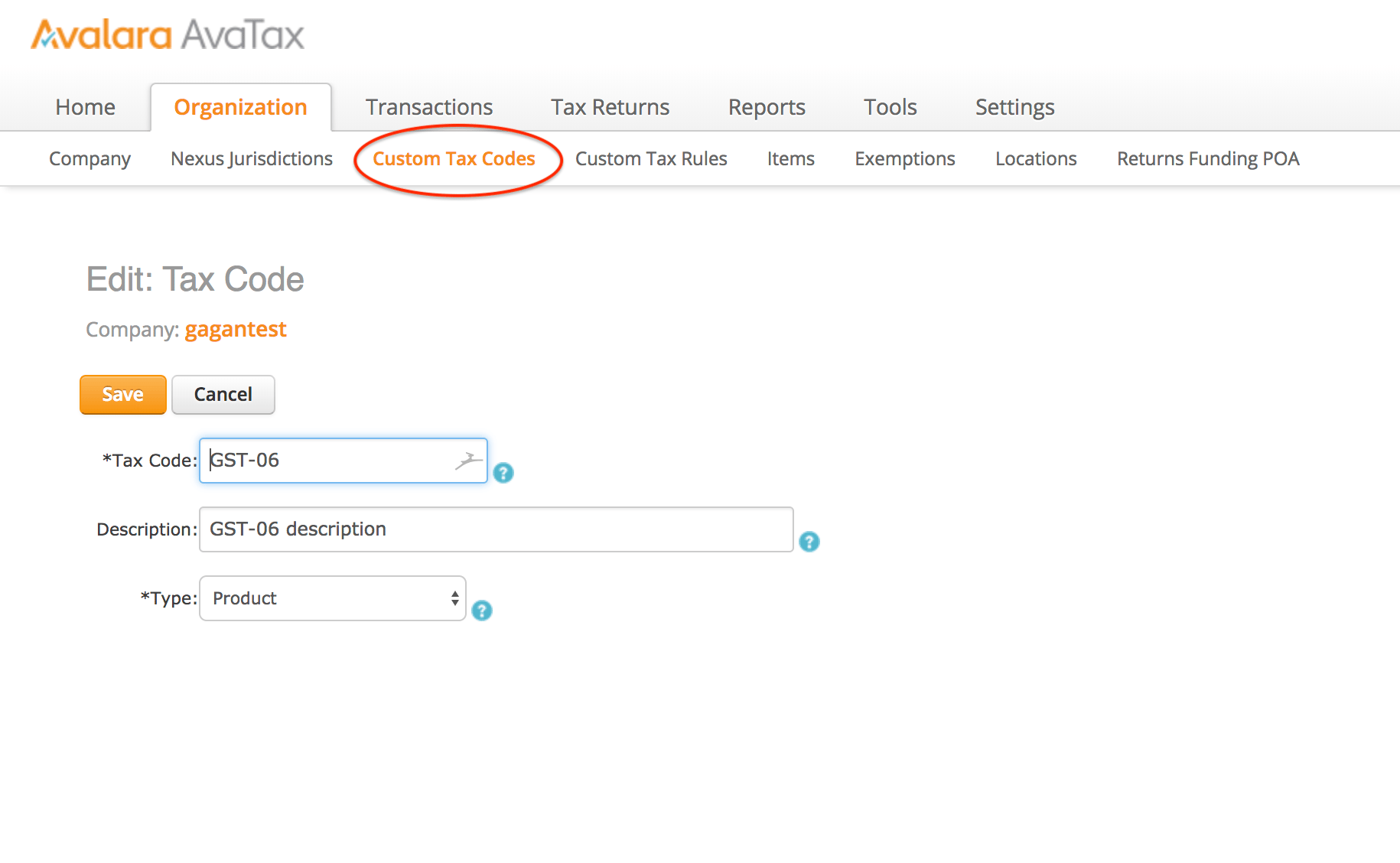
      <img src="https://mintcdn.com/amdocs-slm/MfSDIaW4SO7V6TqH/portal/vindiciaSubscribeAndNewRetain/howTo/images/Avalara_India_AvaTax_Tax_Code_CFG.png?fit=max&auto=format&n=MfSDIaW4SO7V6TqH&q=85&s=474f6dd7582764719b7763573ef55dc9" alt="" width="1830" height="1128" data-path="portal/vindiciaSubscribeAndNewRetain/howTo/images/Avalara_India_AvaTax_Tax_Code_CFG.png" />

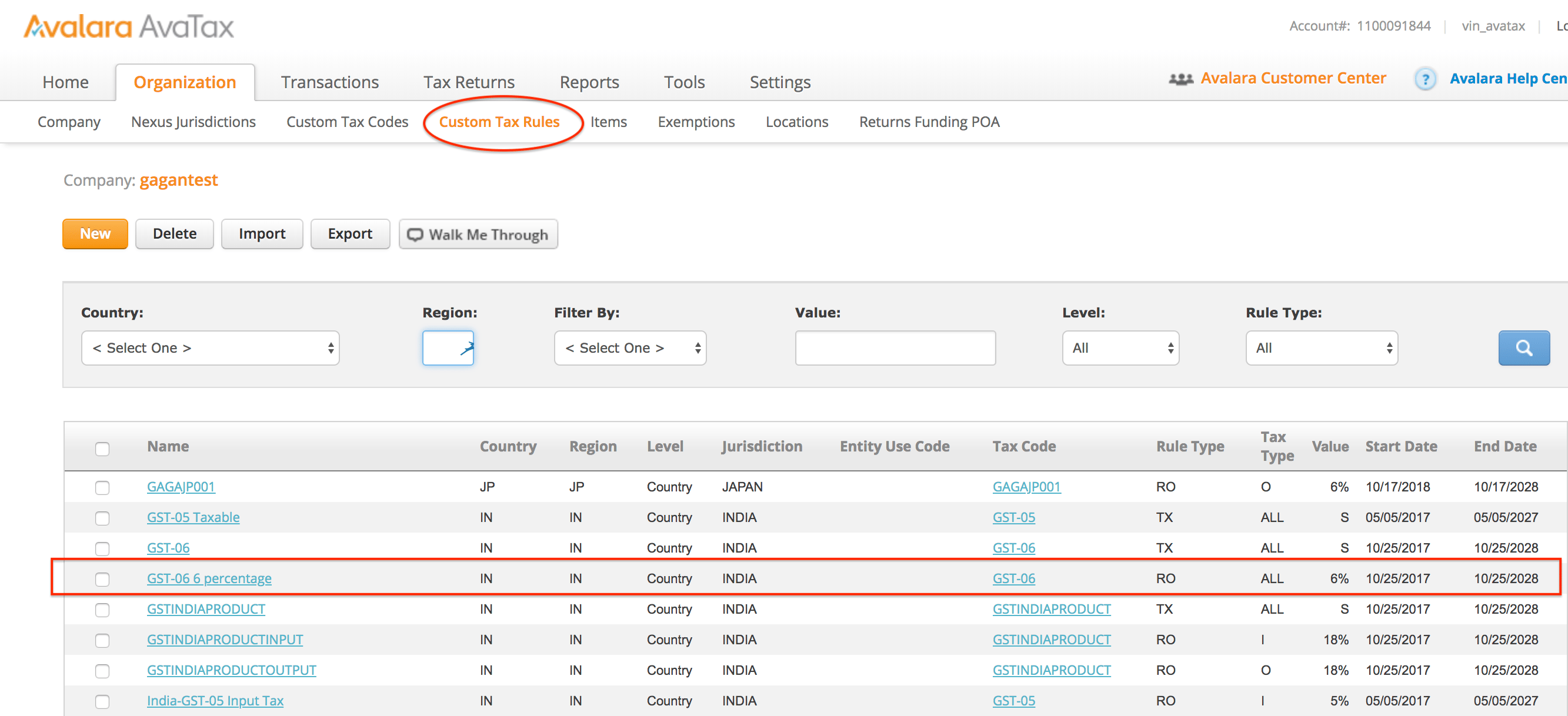
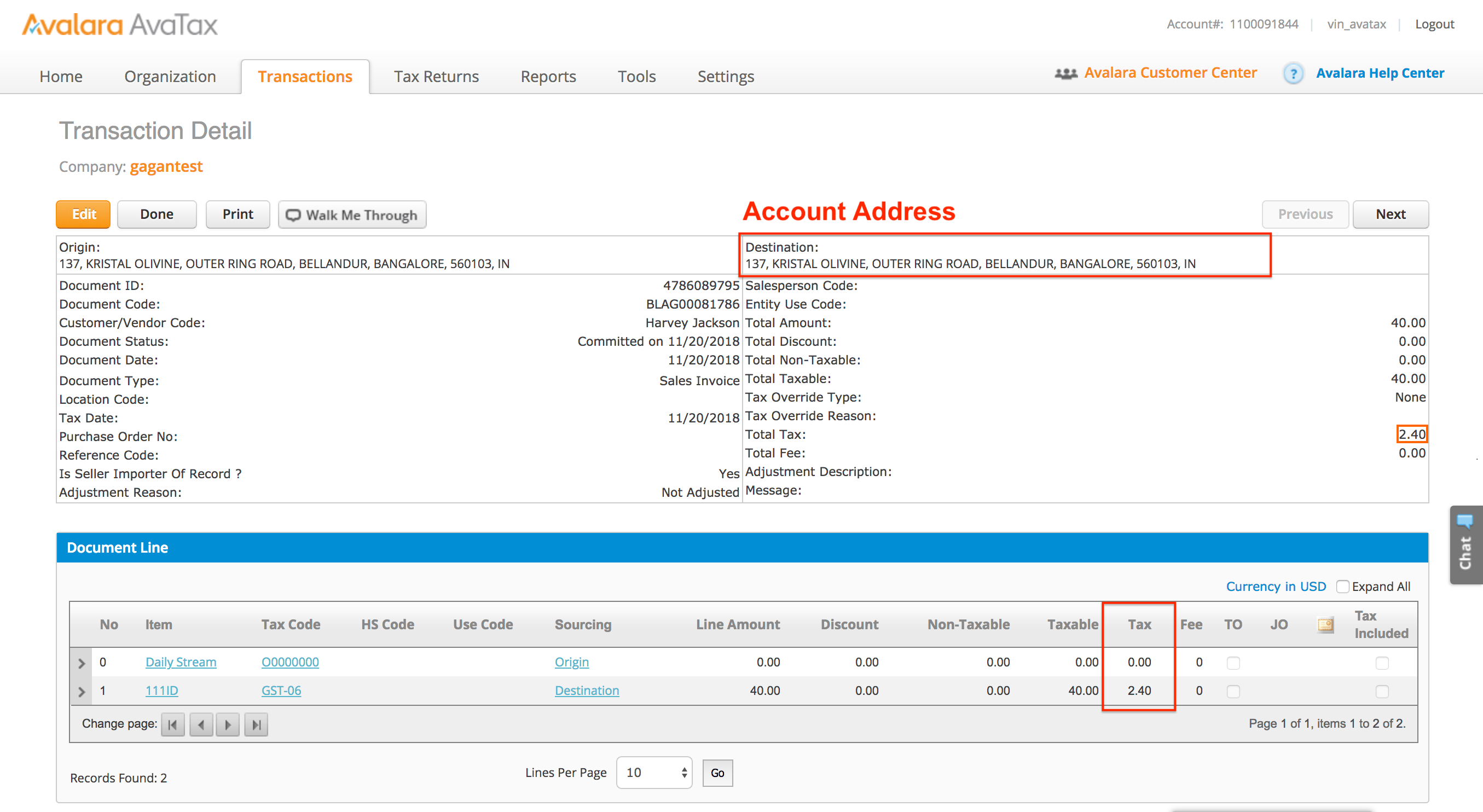
   2. Create a Custom Rule for the taxation rate to apply to all Products with the Custom Code from the previous step, as shown in the following diagrams.
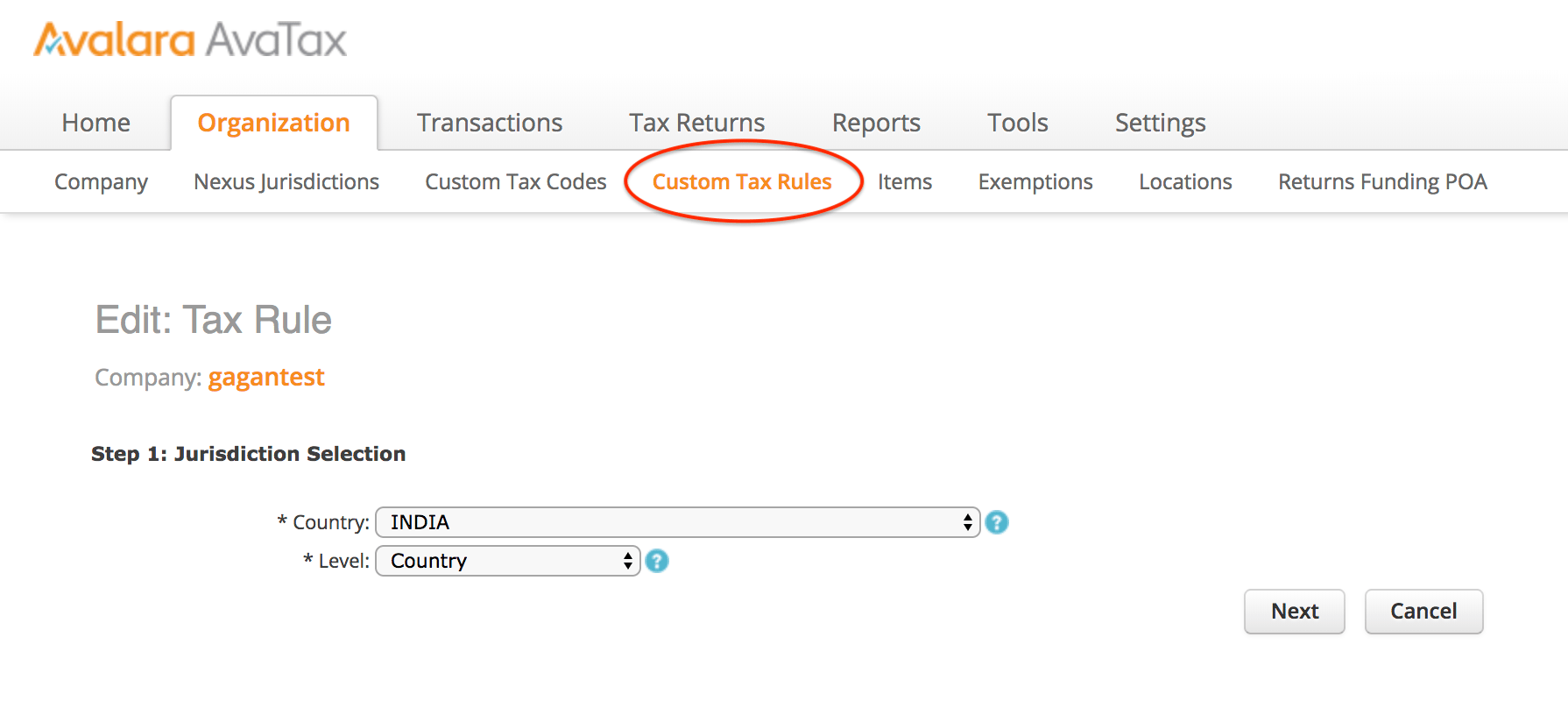
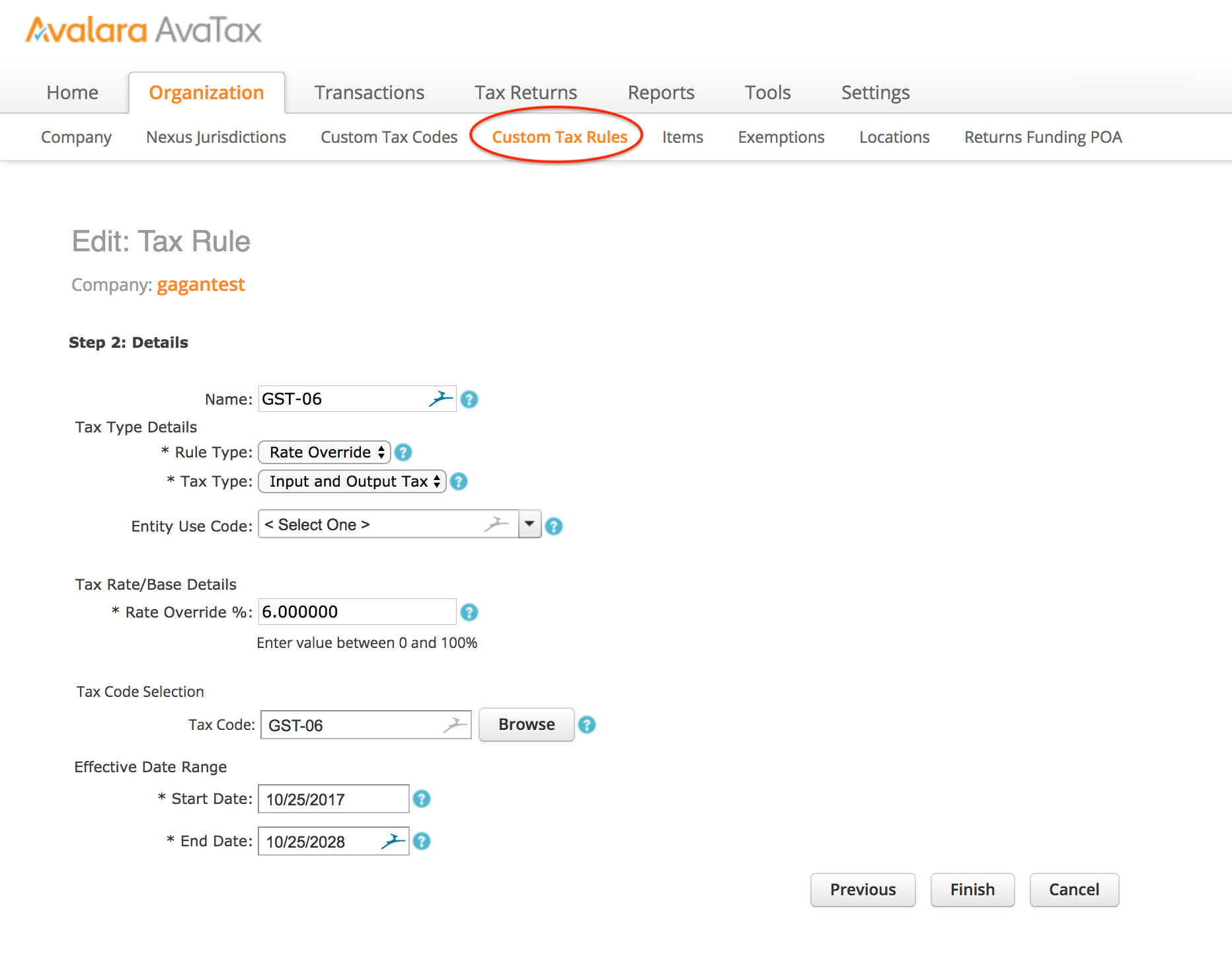
      <img src="https://mintcdn.com/amdocs-slm/MfSDIaW4SO7V6TqH/portal/vindiciaSubscribeAndNewRetain/howTo/images/Avalara_India_AvaTax_Rule_CFG_1.png?fit=max&auto=format&n=MfSDIaW4SO7V6TqH&q=85&s=0228fc2851938e7e130f5300d0f9ea77" alt="" width="1790" height="816" data-path="portal/vindiciaSubscribeAndNewRetain/howTo/images/Avalara_India_AvaTax_Rule_CFG_1.png" />

      <img src="https://mintcdn.com/amdocs-slm/MfSDIaW4SO7V6TqH/portal/vindiciaSubscribeAndNewRetain/howTo/images/Avalara_India_AvaTax_Rule_CFG_3.png?fit=max&auto=format&n=MfSDIaW4SO7V6TqH&q=85&s=34dca2b185354db806210260d79685be" alt="" width="1864" height="1464" data-path="portal/vindiciaSubscribeAndNewRetain/howTo/images/Avalara_India_AvaTax_Rule_CFG_3.png" />

      <img src="https://mintcdn.com/amdocs-slm/MfSDIaW4SO7V6TqH/portal/vindiciaSubscribeAndNewRetain/howTo/images/Avalara_India_AvaTax_Rule_List.png?fit=max&auto=format&n=MfSDIaW4SO7V6TqH&q=85&s=9fe07366dd578ba56f83dbbb17d9282a" alt="" width="2666" height="1218" data-path="portal/vindiciaSubscribeAndNewRetain/howTo/images/Avalara_India_AvaTax_Rule_List.png" />

      <img src="https://mintcdn.com/amdocs-slm/MfSDIaW4SO7V6TqH/portal/vindiciaSubscribeAndNewRetain/howTo/images/Avalara_India_AvaTax_Transaction.png?fit=max&auto=format&n=MfSDIaW4SO7V6TqH&q=85&s=188bf3e62e02ab4bab57d2971cf26d43" alt="" width="2710" height="1484" data-path="portal/vindiciaSubscribeAndNewRetain/howTo/images/Avalara_India_AvaTax_Transaction.png" />

2. In Vindicia Subscribe, add a custom Tax Classification on all Products that are sold in India.
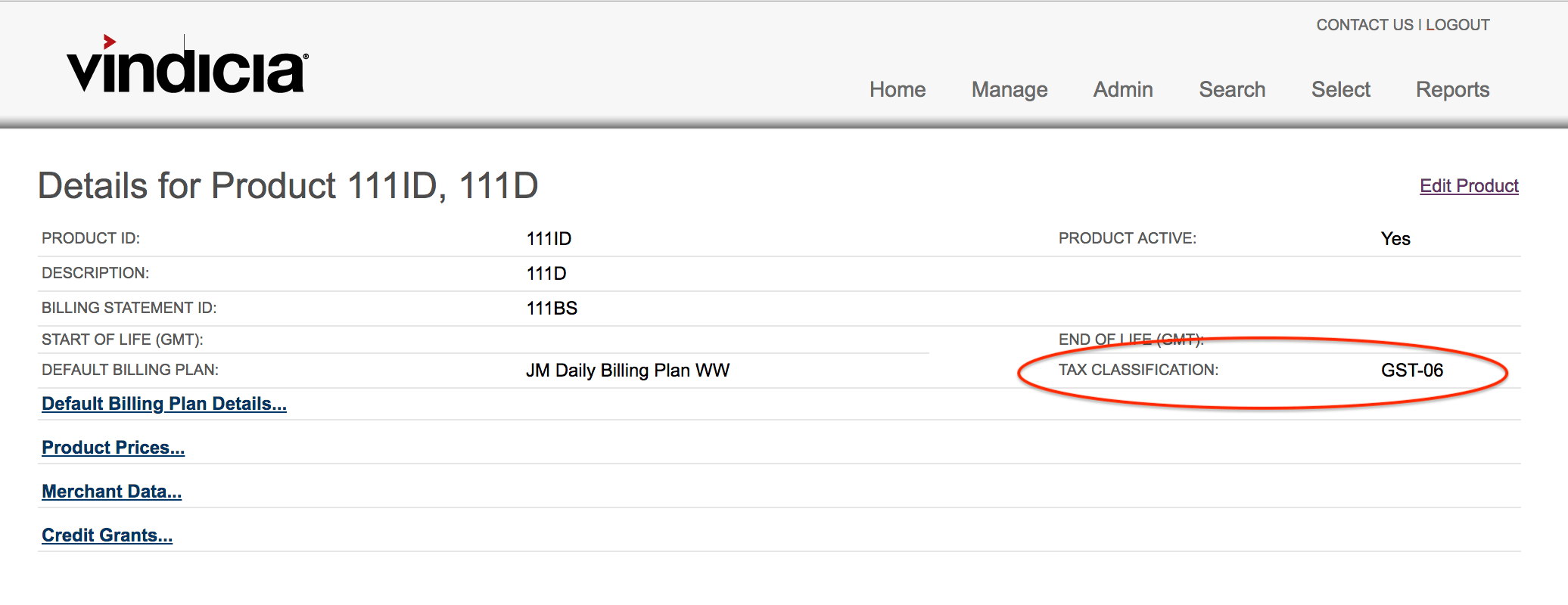
   <img src="https://mintcdn.com/amdocs-slm/MfSDIaW4SO7V6TqH/portal/vindiciaSubscribeAndNewRetain/howTo/images/Avalara_India_Subscribe_Product_CFG.png?fit=max&auto=format&n=MfSDIaW4SO7V6TqH&q=85&s=faf240aee16b4e59e17854424a4be71b" alt="" width="2072" height="800" data-path="portal/vindiciaSubscribeAndNewRetain/howTo/images/Avalara_India_Subscribe_Product_CFG.png" />

**Parent topic:**[Sales Tax](../topics/Sales_Tax)


This documentation is built and hosted on [Mintlify](https://mintlify.com), a developer documentation platform.