> ## Documentation Index
> Fetch the complete documentation index at: https://docs.slm.m1amdocs.com/llms.txt
> Use this file to discover all available pages before exploring further.
# Reason Codes
 When you pause or cancel a Subscription, you can indicate the customer's reason for this action by applying a reason code. You can use predefined reason codes reserved in the system or create your own Custom-Defined Merchant Codes. Whether it is a pause code or a cancel code, both follow the same numbering format.
Subscribe provides the following types of reason codes:
* Subscribe Reserved Codes (2 digits codes)—**0 through 99** are predefined reserved codes for Vindicia and are used by Subscribe when canceling or pausing a subscription. These reasons are not available to merchants when canceling or pausing a subscription.
* Predefined Merchant Codes (3 digit codes)—**100 through 999** commonly used reason codes predefined according to merchant feedback that are available for your use when canceling or pausing a Subscription.
* Custom-Defined Merchant Codes (4 digit codes)—**1000 and above** reasons that you, the merchant, can define in advance, and are available for your use when canceling or pausing a Subscription. Custom reason codes can be any unique numeric string of 4-15 characters. For example, 1001, 88888 . The reason description can be a string of up to 255 characters.
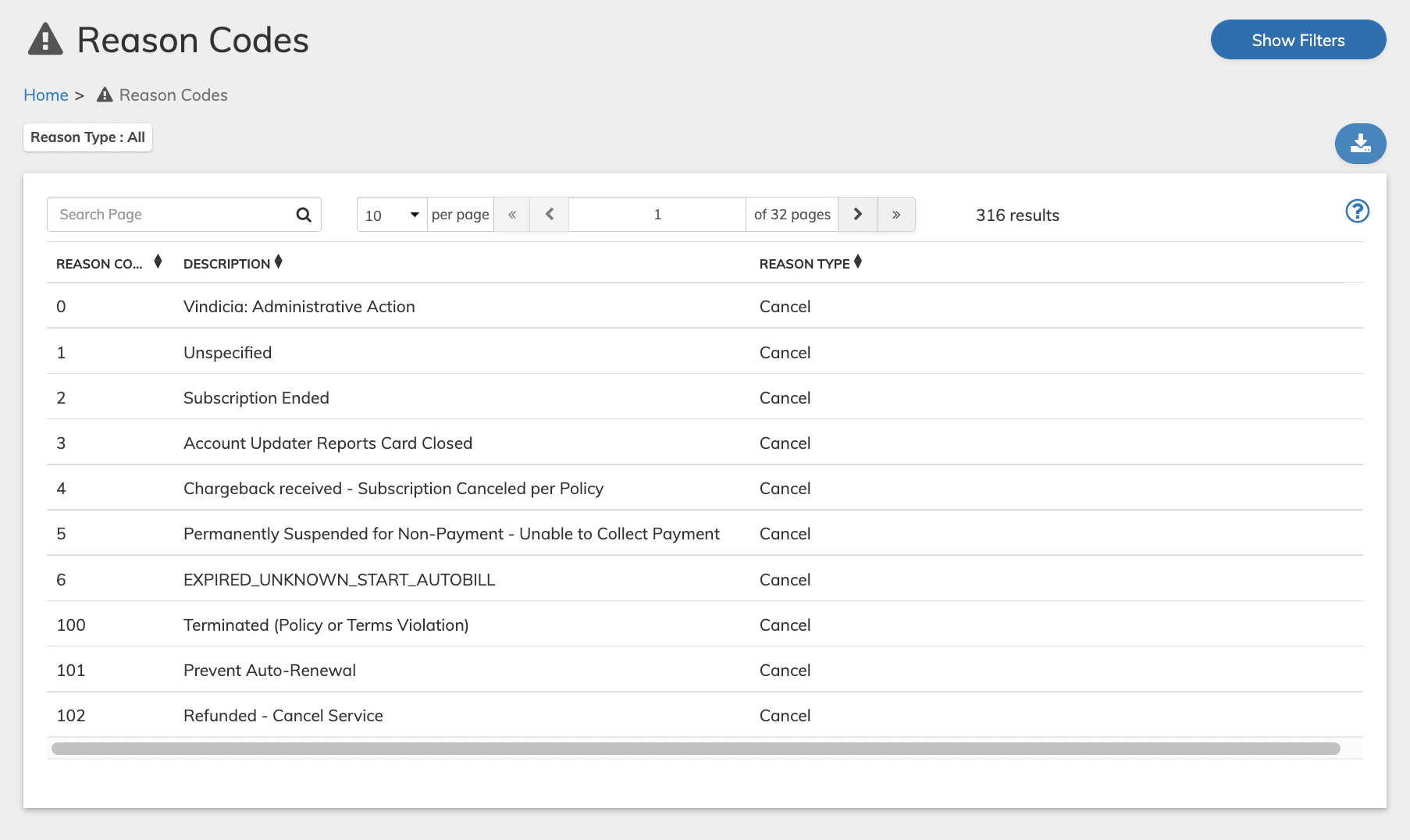
The Reason Codes screen is found under **Catalog**. It displays the available **Reason Codes**, **Descriptions**, and **Reason Type**.
To keep a list of Reason Codes,you can export the Reason Codes to a csv file. Click the
When you pause or cancel a Subscription, you can indicate the customer's reason for this action by applying a reason code. You can use predefined reason codes reserved in the system or create your own Custom-Defined Merchant Codes. Whether it is a pause code or a cancel code, both follow the same numbering format.
Subscribe provides the following types of reason codes:
* Subscribe Reserved Codes (2 digits codes)—**0 through 99** are predefined reserved codes for Vindicia and are used by Subscribe when canceling or pausing a subscription. These reasons are not available to merchants when canceling or pausing a subscription.
* Predefined Merchant Codes (3 digit codes)—**100 through 999** commonly used reason codes predefined according to merchant feedback that are available for your use when canceling or pausing a Subscription.
* Custom-Defined Merchant Codes (4 digit codes)—**1000 and above** reasons that you, the merchant, can define in advance, and are available for your use when canceling or pausing a Subscription. Custom reason codes can be any unique numeric string of 4-15 characters. For example, 1001, 88888 . The reason description can be a string of up to 255 characters.
The Reason Codes screen is found under **Catalog**. It displays the available **Reason Codes**, **Descriptions**, and **Reason Type**.
To keep a list of Reason Codes,you can export the Reason Codes to a csv file. Click the  **Download** button and select whether to download the current displayed results only (by default, 10 to a page) or the full result list.
 * **[Creating Reason Codes](../topics/cancelReasonWorking1#)**
* **[Creating Reason Codes](../topics/cancelReasonWorking)**
**Parent topic:**[Catalog](../topics/catalog)
**Related information**
[Cancel a Subscription](subscriptionDelete)
[Pause a Subscription](subscriptionPause)
[Creating Reason Codes](cancelReasonWorking)
This documentation is built and hosted on [Mintlify](https://mintlify.com), a developer documentation platform.
* **[Creating Reason Codes](../topics/cancelReasonWorking1#)**
* **[Creating Reason Codes](../topics/cancelReasonWorking)**
**Parent topic:**[Catalog](../topics/catalog)
**Related information**
[Cancel a Subscription](subscriptionDelete)
[Pause a Subscription](subscriptionPause)
[Creating Reason Codes](cancelReasonWorking)
This documentation is built and hosted on [Mintlify](https://mintlify.com), a developer documentation platform.